Print a Rubric for Saving or Grading in Blackboard’s November Update
Also available: Find any student in a group set
It’s week eight, and a student emails asking to move to a new project team. Every student in your 30-person group set is already assigned, so finding her means opening group after group until her name turns up. Meanwhile, your program coordinator needs copies of your rubrics for an upcoming review. November’s release is light, but it makes both activities of these quicker to handle.
Print or Save Rubrics as PDFs
Instructors can now print blank or scored rubrics, or save them as PDFs, through the browser’s print dialog. Blank rubrics are useful wherever grading happens away from a screen, such as live presentations, studio critiques, or lab practicals. Sharing one with students before they begin an assignment also gives them a version of the criteria they can mark up as they work. Scored rubrics give you a record to bring to a student conference, and both versions are simple to include in accreditation or instructional review documentation.
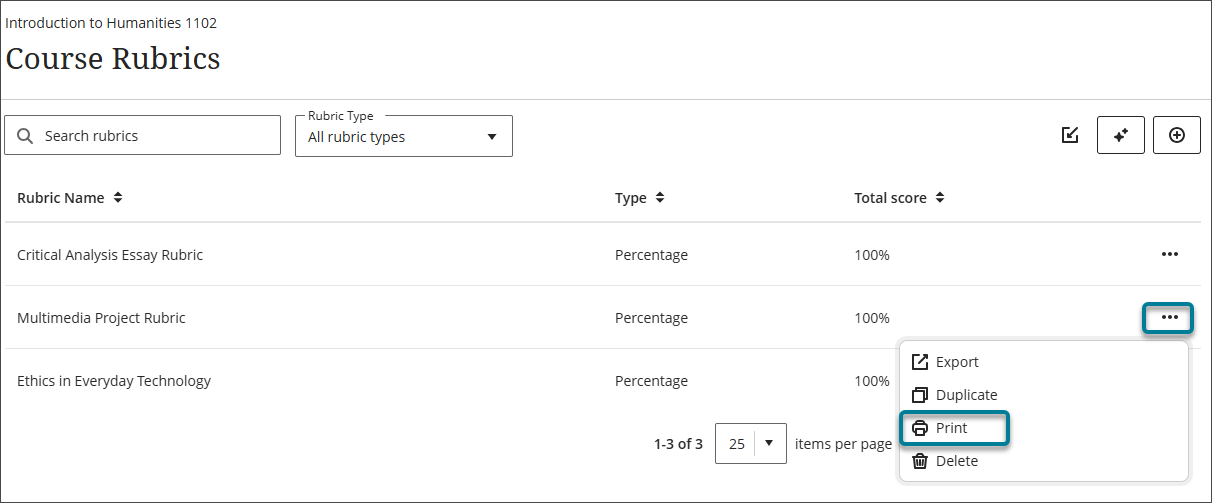
Image 1: The ellipsis menu on a rubric shows the Print option.
Find Any Student in a Group Set
Until now, the group management search only found students who were still waiting to be assigned. Once a set was fully populated, there was no quick way to locate a specific person. Search now covers assigned students too, and a new dual search lets you look up a student and the groups in a set at the same time. You can see immediately which group a student belongs to and move them in a few steps.
This matters most mid-semester, when team adjustments are usually time-sensitive. A stalled group, a schedule conflict, or a student returning from an absence can be handled before the problem affects the rest of the team, even in large courses with many fully assigned groups.
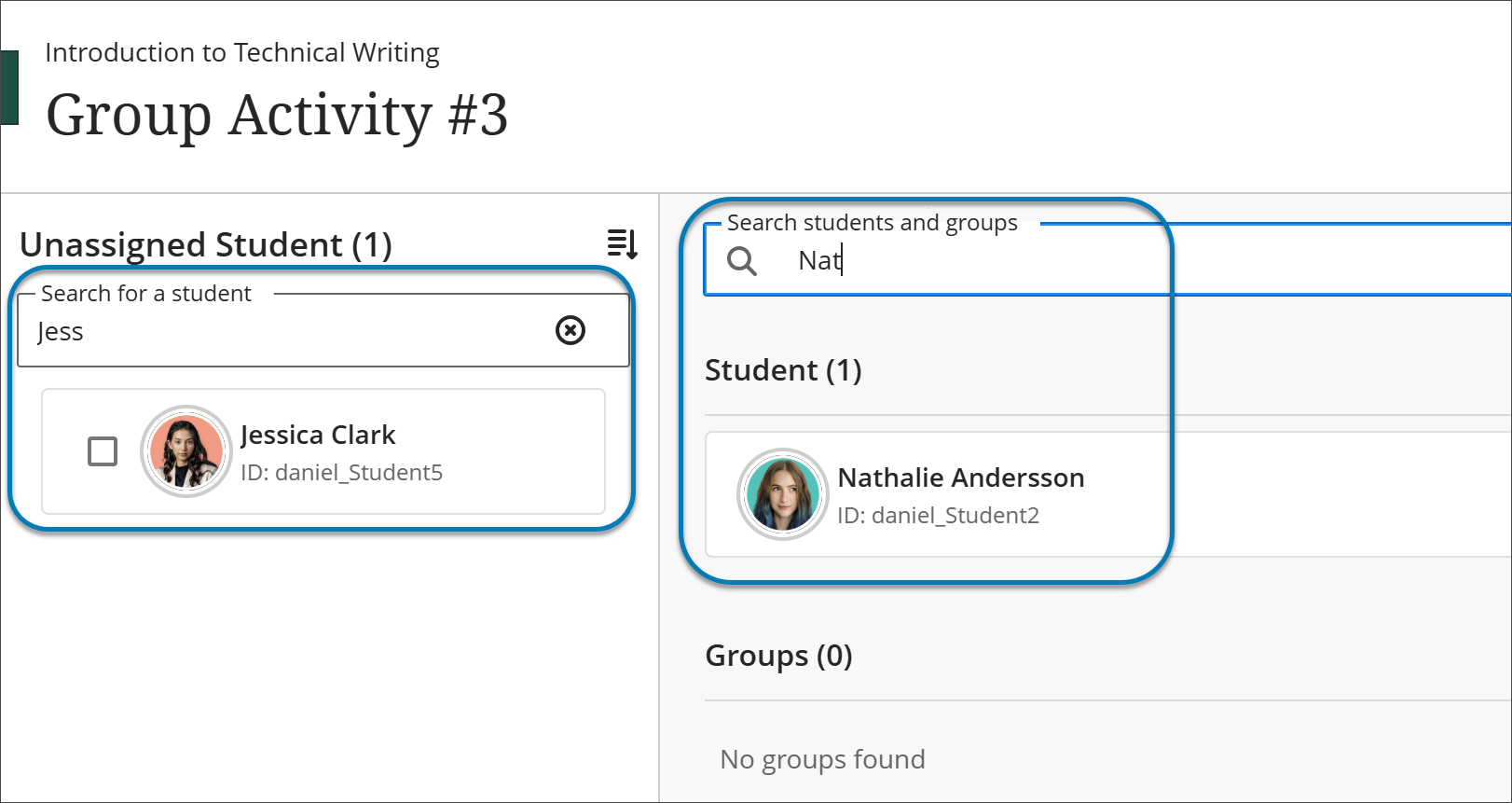
Image 2: Instructors can now search students who have been assigned to groups in addition to the existing search for students who are unassigned.
When can you expect the update?
Faculty should see the latest updates in their Ultra courses around November 5-6, 2026. The next update to our Ultra test environment will take place around November 10, 2026; release notes will be posted to the What's New in Ultra page. Faculty who are interested in test driving new features before they are released to production should open an RT ticket to request early access. Please watch the FAQs, including the What's New with Ultra page, and myUMBC for additional information about Blackboard.
Connect with Instructional Technology
As always, if you have any questions about teaching, learning, and technology at UMBC, please consider the following options:
Posted: October 29, 2026, 11:07 AM
